
IPEIA is excited to offer you a simple way to sign up for all of our webinar offerings!
Using our self serve members portal, you can sign in and sign up today.
|
Simply visit the members area and have access to all webinars following the steps below. |
|
|---|---|
| Step 1 |
Login to IPEIA’s membership system at https://registration.ipeia.com |
| Step 2 |
Look for and click the “Webinar Schedule and Past Presentations” button on the home page 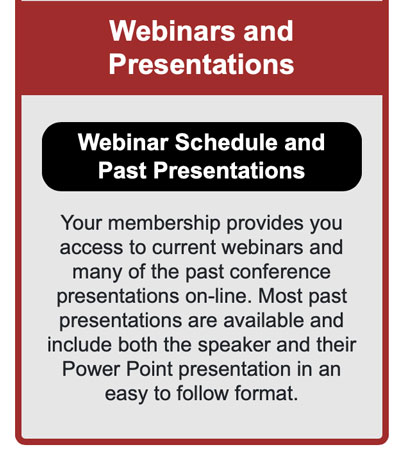
You can also find a link to the Webinar and Past Presentations page under ‘Registration’ in the top menu. |
| Step 3 |
Find the webinar you would like to register for – if registering for the upcoming webinar select the blue ‘Click Here to Sign Up for this Webinar’ button at the top of the page. 
If you would like to register for a webinar later in the year, scroll down to find the webinar and select the black ‘Click Here to Sign Up for this Webinar’ button. 
|
| Step 4 |
You will then be forwarded to the Webinar Registration Form. Fill out the required information (first and last name, email address) and select ‘Register’. 
Note: If registering for multiple webinars, you will need to complete a form for each webinar you wish to attend. |
| Step 5 |
Upon completion, you should receive an email to your inbox confirming your registration. If you do not receive this email, please check your Junk/Spam/Other folders. This email includes an option to add the event to your calendar – please note, these webinar events do not automatically update in personal calendars. You will receive reminders from GoToWebinar for each webinar as they approach. You can also add the webinar to your calendar if you choose this option provided to you from the GoToWebinar reminders. |